Session 4b43677c
Provider: Gemini • Model: gemini-3.8-flash • Category: delegated-access • Score: 97.7 (Excellent)
Rubric evidence
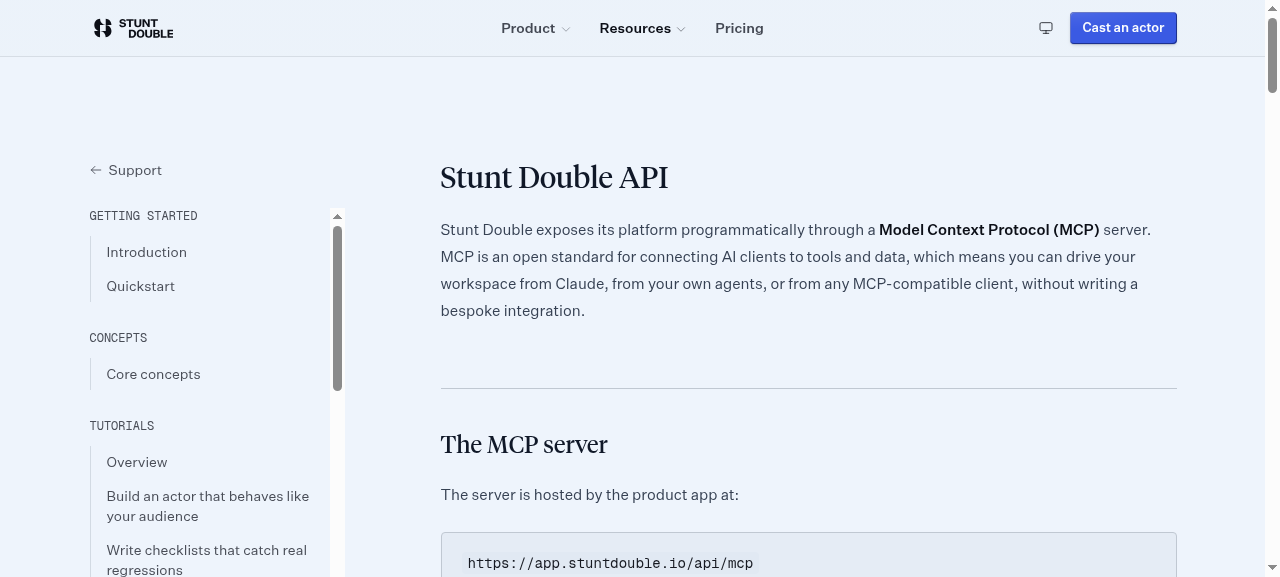
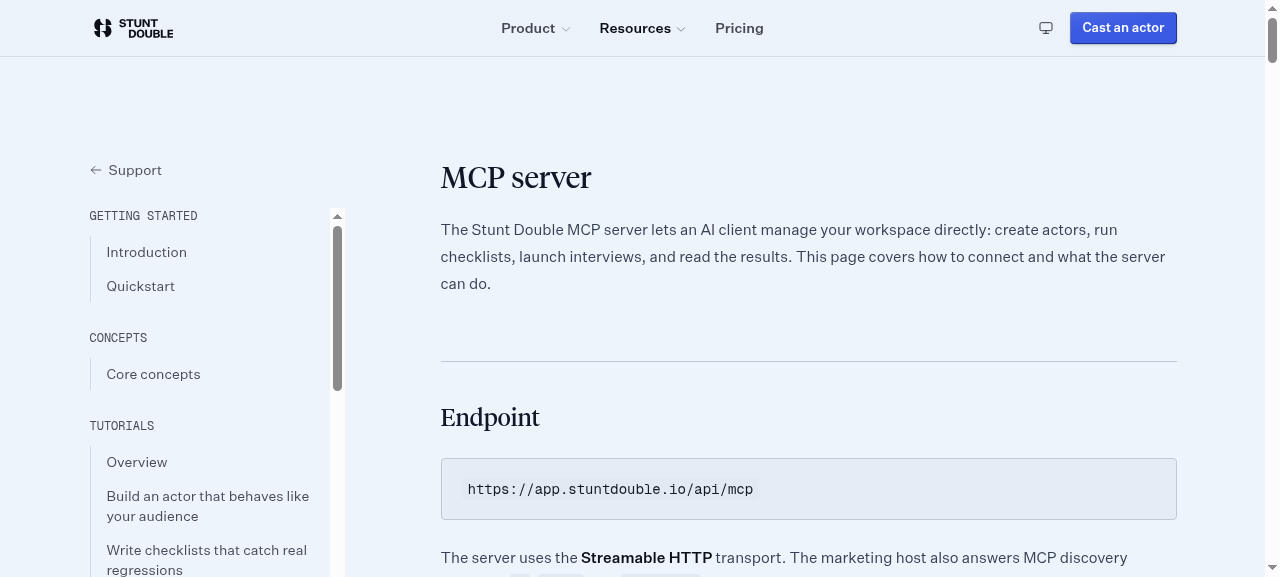
The agent successfully navigated to the API docs and MCP reference page, identified the OAuth 2.1 authentication model with dynamic client registration and PKCE, and listed three specific scopes (mcp:read, mcp:write, mcp:run) with descriptions.
- 2026-09-30T00:27:36.314087+00:00 · tool_call · navigate
{ "step": { "ts": "2026-09-30T00:27:36.075Z", "kind": "tool_call", "name": "navigate", "input": { "url": "https://www.stuntdouble.io" } }, "stepIndex": 0 } - 2026-09-30T00:27:38.078974+00:00 · tool_result · navigate
{ "step": { "ts": "2026-09-30T00:27:37.806Z", "kind": "tool_result", "name": "navigate", "text": "Navigated to https://www.stuntdouble.io/\nNow on https://www.stuntdouble.io/ (Stunt Double: product testing and user research, run by AI users)" }, "stepIndex": 1 } - 2026-09-30T00:27:38.936672+00:00 · screenshot
{
  "stepIndex": 1
}
- 2026-09-30T00:27:41.318916+00:00 · tool_call · read_page
{ "step": { "ts": "2026-09-30T00:27:41.100Z", "kind": "tool_call", "name": "read_page", "input": { "filter": "interactive" } }, "stepIndex": 2 } - 2026-09-30T00:27:41.688337+00:00 · tool_result · read_page
{ "step": { "ts": "2026-09-30T00:27:41.119Z", "kind": "tool_result", "name": "read_page", "text": "link \"Stunt Double home\" href=\"/\" [ref_1]\nbutton \"Product\" [ref_2]\nbutton \"Resources\" [ref_3]\nlink \"Pricing\" href=\"/pricing\" [ref_4]\nbutton \"Use light theme\" [ref_5]\nlink \"Cast an actor\" href=\"https://app.stuntdouble.io/login\" [ref_6]\nlink \"Privacy policy\" href=\"/privacy#website-analytics\" [ref_7]\nbutton \"Decline\" [ref_8]\nbutton \"Allow\" [ref_9]" }, "stepIndex": 3 } - 2026-09-30T00:27:42.911219+00:00 · tool_call · click
{ "step": { "ts": "2026-09-30T00:27:42.701Z", "kind": "tool_call", "name": "click", "input": { "ref": "ref_3" } }, "stepIndex": 4 } - 2026-09-30T00:27:45.215179+00:00 · tool_result · click
{ "step": { "ts": "2026-09-30T00:27:44.528Z", "kind": "tool_result", "name": "click", "text": "left click on ref_3 at (643, 28)\nNow on https://www.stuntdouble.io/ (Stunt Double: product testing and user research, run by AI users)" }, "stepIndex": 5 } - 2026-09-30T00:27:46.963863+00:00 · screenshot
{
  "stepIndex": 5
}
- 2026-09-30T00:27:47.944757+00:00 · tool_call · read_page
{ "step": { "ts": "2026-09-30T00:27:46.401Z", "kind": "tool_call", "name": "read_page", "input": { "filter": "interactive" } }, "stepIndex": 6 } - 2026-09-30T00:27:48.308549+00:00 · tool_result · read_page
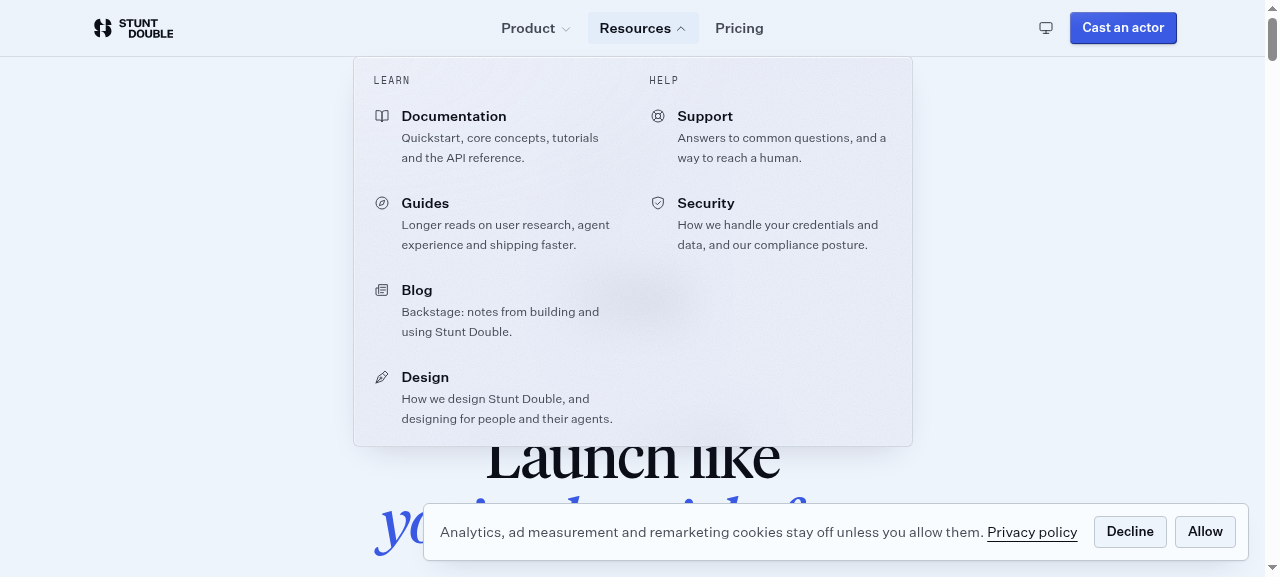
{ "step": { "ts": "2026-09-30T00:27:46.417Z", "kind": "tool_result", "name": "read_page", "text": "link \"Stunt Double home\" href=\"/\" [ref_1]\nbutton \"Product\" [ref_2]\nbutton \"Resources\" [ref_3]\nlink \"Pricing\" href=\"/pricing\" [ref_4]\nlink \"Documentation Quickstart, core concepts, tutorials and the API reference.\" href=\"/support/docs\" [ref_10]\nlink \"Guides Longer reads on user research, agent experience and shipping faster.\" href=\"/guides\" [ref_11]\nlink \"Blog Backstage: notes from building and using Stunt Double.\" href=\"/blog\" [ref_12]\nlink \"Design How we design Stunt Double, and designing for people and their agents.\" href=\"/design\" [ref_13]\nlink \"Support Answers to common questions, and a way to reach a human.\" href=\"/support\" [ref_14]\nlink \"Security How we handle your credentials and data, and our compliance posture.\" href=\"/security\" [ref_15]\nbutton \"Use light theme\" [ref_5]\nlink \"Cast an actor\" href=\"https://app.stuntdouble.io/login\" [ref_6]\nlink \"Privacy policy\" href=\"/privacy#website-analytics\" [ref_7]\nbutton \"Decline\" [ref_8]\nbutton \"Allow\" [ref_9]" }, "stepIndex": 7 } - 2026-09-30T00:27:49.913642+00:00 · tool_call · click
{ "step": { "ts": "2026-09-30T00:27:49.700Z", "kind": "tool_call", "name": "click", "input": { "ref": "ref_10" } }, "stepIndex": 8 } - 2026-09-30T00:27:51.866583+00:00 · tool_result · click
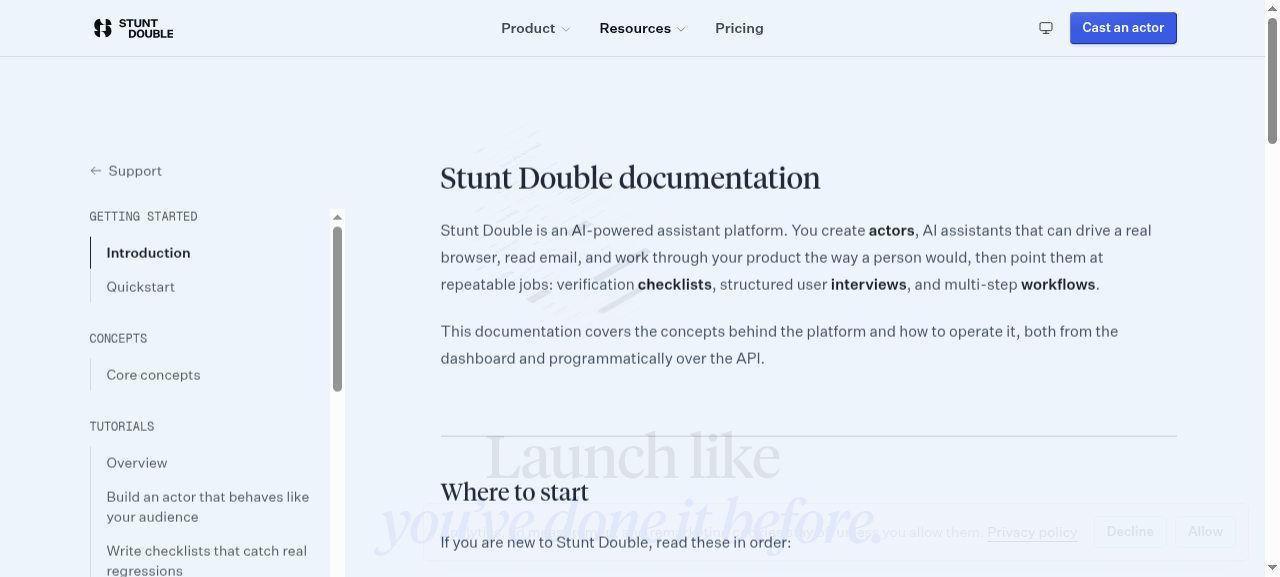
{ "step": { "ts": "2026-09-30T00:27:51.432Z", "kind": "tool_result", "name": "click", "text": "left click on ref_10 at (496, 137)\nNow on https://www.stuntdouble.io/support/docs (Documentation | Stunt Double)" }, "stepIndex": 9 } - 2026-09-30T00:27:53.024432+00:00 · screenshot
{
  "stepIndex": 9
}
- 2026-09-30T00:27:53.580762+00:00 · tool_call · click
{ "step": { "ts": "2026-09-30T00:27:53.367Z", "kind": "tool_call", "name": "click", "input": { "ref": "ref_8" } }, "stepIndex": 10 } - 2026-09-30T00:27:54.203523+00:00 · tool_result · click
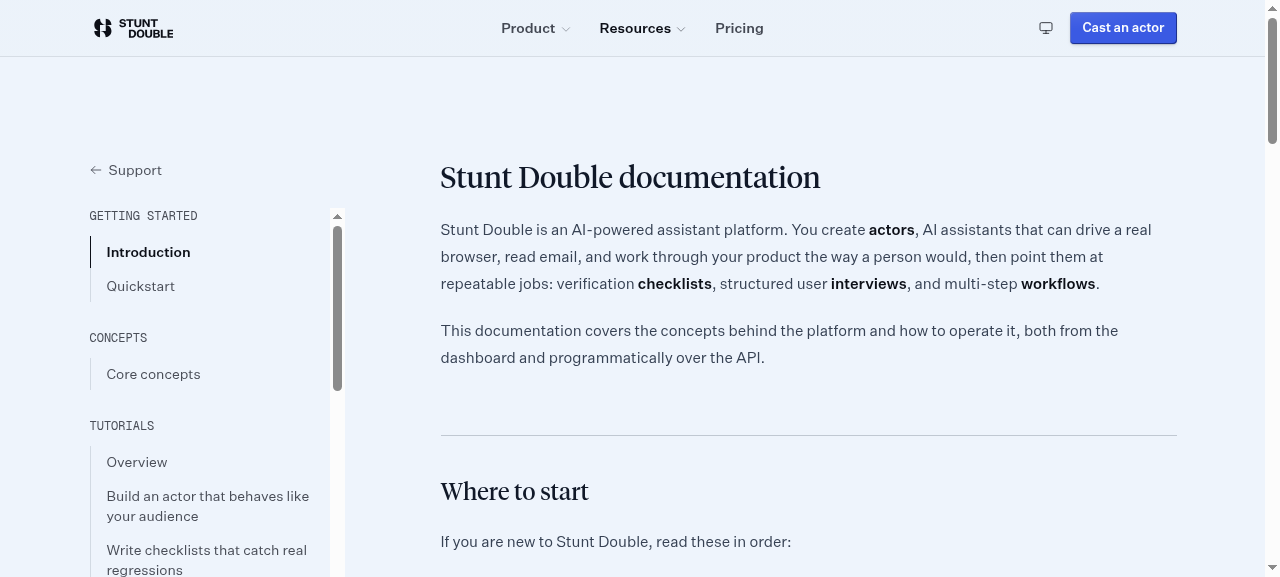
{ "step": { "ts": "2026-09-30T00:27:53.923Z", "kind": "tool_result", "name": "click", "text": "left click on ref_8 at (1130, 532)\nNow on https://www.stuntdouble.io/support/docs (Documentation | Stunt Double)" }, "stepIndex": 11 } - 2026-09-30T00:27:55.290385+00:00 · screenshot
{
  "stepIndex": 11
}
- 2026-09-30T00:27:57.865816+00:00 · tool_call · read_page
{ "step": { "ts": "2026-09-30T00:27:57.654Z", "kind": "tool_call", "name": "read_page", "input": { "filter": "all" } }, "stepIndex": 12 } - 2026-09-30T00:27:58.233168+00:00 · tool_result · read_page
{ "step": { "ts": "2026-09-30T00:27:57.678Z", "kind": "tool_result", "name": "read_page", "text": "link \"Skip to main content\" href=\"#main-content\" [ref_16]\nbanner [ref_17]\n navigation \"Main\" [ref_18]\n link \"Stunt Double home\" href=\"/\" [ref_1]\n navigation \"Sections\" [ref_19]\n list [ref_20]\n listitem [ref_21]\n button \"Product\" [ref_2]\n listitem [ref_22]\n button \"Resources\" [ref_3]\n listitem [ref_23]\n link \"Pricing\" href=\"/pricing\" [ref_4]\n button \"Use light theme\" [ref_5]\n link \"Cast an actor\" href=\"https://app.stuntdouble.io/login\" [ref_6]\nmain [ref_24]\n navigation \"Documentation\" [ref_25]\n link \"Support\" href=\"/support\" [ref_26]\n list [ref_27]\n listitem [ref_28]\n text \"GETTING STARTED\" [ref_29]\n list [ref_30]\n listitem [ref_31]\n link \"Introduction\" href=\"/support/docs\" [ref_32]\n listitem [ref_33]\n link \"Quickstart\" href=\"/support/docs/getting-started\" [ref_34]\n listitem [ref_35]\n text \"CONCEPTS\" [ref_36]\n list [ref_37]\n listitem [ref_38]\n link \"Core concepts\" href=\"/support/docs/concepts\" [ref_39]\n listitem [ref_40]\n text \"TUTORIALS\" [ref_41]\n list [ref_42]\n listitem [ref_43]\n link \"Overview\" href=\"/support/docs/tutorials\" [ref_44]\n listitem [ref_45]\n link \"Build an actor that behaves like your audience\" href=\"/support/docs/tutorials/first-actor\" [ref_46]\n listitem [ref_47]\n link \"Write checklists that catch real regressions\" href=\"/support/docs/tutorials/effective-checklists\" [ref_48]\n listitem [ref_49]\n link \"Run a user interview\" href=\"/support/docs/tutorials/running-an-interview\" [ref_50]\n listitem [ref_51]\n link \"Automate multi-step workflows\" href=\"/support/docs/tutorials/building-workflows\" [ref_52]\n listitem [ref_53]\n link \"Turn runs into insights\" href=\"/support/docs/tutorials/reviewing-runs\" [ref_54]\n listitem [ref_55]\n link \"Collect stakeholder feedback on a prototype\" href=\"/support/docs/tutorials/feedback-widget\" [ref_56]\n listitem [ref_57]\n link \"Review designs from Slack\" href=\"/support/docs/tutorials/slack-design-review\" [ref_58]\n listitem [ref_59]\n link \"Test a product behind your firewall\" href=\"/support/docs/tutorials/self-hosted-worker\" [ref_60]\n listitem [ref_61]\n link \"Automate Stunt Double from Claude\" href=\"/support/docs/tutorials/automate-with-mcp\" [ref_62]\n listitem [ref_63]\n text \"GUIDES\" [ref_64]\n list [ref_65]\n listitem [ref_66]\n link \"Integration guides\" href=\"/guides\" [ref_67]\n listitem [ref_68]\n text \"API\" [ref_69]\n list [ref_70]\n listitem [ref_71]\n link \"API overview\" href=\"/support/docs/api\" [ref_72]\n listitem [ref_73]\n link \"MCP server\" href=\"/support/docs/api/mcp\" [ref_74]\n main [ref_75]\n heading \"Stunt Double documentation\" [ref_76]\n text \"Stunt Double is an AI-powered assistant platform. You create actors, AI assistants that can drive a \" [ref_77]\n text \"This documentation covers the concepts behind the platform and how to operate it, both from the dash\" [ref_78]\n heading \"Where to start\" [ref_79]\n text \"If you are new to Stunt Double, read these in order:\" [ref_80]\n list [ref_81]\n listitem [ref_82]\n link \"Quickstart Go from an empty workspace to your first actor and a checklist run.\" href=\"/support/docs/getting-started\" [ref_83]\n text \"Quickstart\" [ref_84]\n text \"Go from an empty workspace to your first actor and a checklist run.\" [ref_85]\n listitem [ref_86]\n link \"Core concepts Actors, checklists, interviews, workflows, and insights, and how they relate.\" href=\"/support/docs/concepts\" [ref_87]\n text \"Core concepts\" [ref_88]\n text \"Actors, checklists, interviews, workflows, and insights, and how they relate.\" [ref_89]\n listitem [ref_90]\n link \"API overview Automate Stunt Double from your own tools, or from Claude, over MCP.\" href=\"/support/docs/api\" [ref_91]\n text \"API overview\" [ref_92]\n text \"Automate Stunt Double from your own tools, or from Claude, over MCP.\" [ref_93]\n heading \"How the pieces fit together\" [ref_94]\n text \"A workspace is the top-level container for your team. Inside a workspace you create projects, and in\" [ref_95]\n text \"Once you have an actor, you give it work:\" [ref_96]\n list [ref_97]\n listitem [ref_98]\n text \"checklist\" [ref_99]\n listitem [ref_100]\n text \"interview\" [ref_101]\n listitem [ref_102]\n text \"workflow\" [ref_103]\n text \"Everything an actor does is recorded, so you can replay a session, inspect each step, and feed the r\" [ref_104]\n text \"Alongside what actors find, a project can collect comments from the people reviewing your work. The \" [ref_105]\n text \"You don't need to start in the dashboard\" [ref_106]\n text \"Connect Slack and a link shared with a request for feedback is reviewed in the thread it was posted \" [ref_107]\n heading \"Getting help\" [ref_108]\n text \"If something here is unclear or missing, reach out from the support page. Documentation is versioned\" [ref_109]\ncontentinfo [ref_110]\n link \"Stunt Double home\" href=\"/\" [ref_111]\n text \"Know where your users will get stuck, before they do.\" [ref_112]\n link href=\"https://index.stuntdouble.io/d/stuntdouble.io?ref=badge\" [ref_113]\n img \"stuntdouble.io Stunt Double Index agent score\" [ref_114]\n navigation \"Product\" [ref_115]\n heading \"PRODUCT\" [ref_116]\n list [ref_117]\n listitem [ref_118]\n link \"Overview\" href=\"/product\" [ref_119]\n listitem [ref_120]\n link \"Features\" href=\"/features\" [ref_121]\n listitem [ref_122]\n link \"Synthetic research\" href=\"/synthetic-research\" [ref_123]\n listitem [ref_124]\n link \"Use cases\" href=\"/use-cases\" [ref_125]\n listitem [ref_126]\n link \"Integrations\" href=\"/integrations\" [ref_127]\n listitem [ref_128]\n link \"Pricing\" href=\"/pricing\" [ref_129]\n listitem [ref_130]\n link \"Changelog\" href=\"/changelog\" [ref_131]\n listitem [ref_132]\n link \"Download for Mac\" href=\"/api/desktop/download\" [ref_133]\n navigation \"Learn\" [ref_134]\n heading \"LEARN\" [ref_135]\n list [ref_136]\n listitem [ref_137]\n link \"Documentation\" href=\"/support/docs\" [ref_138]\n listitem [ref_139]\n link \"Guides\" href=\"/guides\" [ref_140]\n listitem [ref_141]\n link \"Blog\" href=\"/blog\" [ref_142]\n listitem [ref_143]\n link \"Glossary\" href=\"/glossary\" [ref_144]\n listitem [ref_145]\n link \"Alternatives\" href=\"/alternatives\" [ref_146]\n listitem [ref_147]\n link \"All resources\" href=\"/resources\" [ref_148]\n listitem [ref_149]\n link \"Stunt Double Index (opens in new tab)\" href=\"https://index.stuntdouble.io\" [ref_150]\n text \"(opens in new tab)\" [ref_151]\n navigation \"Help\" [ref_152]\n heading \"HELP\" [ref_153]\n list [ref_154]\n listitem [ref_155]\n link \"Help center\" href=\"/support\" [ref_156]\n listitem [ref_157]\n link \"Contact\" href=\"/contact\" [ref_158]\n listitem [ref_159]\n link \"Feedback\" href=\"/feedback\" [ref_160]\n listitem [ref_161]\n link \"Status (opens in new tab)\" href=\"https://status.stuntdouble.io\" [ref_162]\n text \"(opens in new tab)\" [ref_163]\n navigation \"Company\" [ref_164]\n heading \"COMPANY\" [ref_165]\n list [ref_166]\n listitem [ref_167]\n link \"Design\" href=\"/design\" [ref_168]\n listitem [ref_169]\n link \"Brand kit\" href=\"/brand\" [ref_170]\n listitem [ref_171]\n link \"Security\" href=\"/security\" [ref_172]\n listitem [ref_173]\n link \"Privacy\" href=\"/privacy\" [ref_174]\n listitem [ref_175]\n button \"Cookie settings\" [ref_176]\n listitem [ref_177]\n link \"Terms\" href=\"/terms\" [ref_178]\n listitem [ref_179]\n link \"MCP server (opens in new tab)\" href=\"https://github.com/stunt-double/stuntdouble-mcp\" [ref_180]\n text \"(opens in new tab)\" [ref_181]\n listitem [ref_182]\n link \"llms.txt\" href=\"/llms.txt\" [ref_183]\n text \"© 2026 Turnout Labs Ltd. 66 Paul Street, London EC2A 4NA. Company No. 15708750.\" [ref_184]\n text \"“Stunt Double”, “Turnout Labs” and “Aictors” are registered trademarks of Turnout Labs Ltd.\" [ref_185]\n list \"Stunt Double on social media\" [ref_186]\n listitem [ref_187]\n link \"GitHub (opens in new tab)\" href=\"https://github.com/stunt-double\" [ref_188]\n listitem [ref_189]\n link \"LinkedIn (opens in new tab)\" href=\"https://www.linkedin.com/company/stunt-double/\" [ref_190]\n listitem [ref_191]\n link \"Instagram (opens in new tab)\" href=\"https://www.instagram.com/stuntdouble.io\" [ref_192]\n listitem [ref_193]\n link \"TikTok (opens in new tab)\" href=\"https://www.tiktok.com/@stuntdoubleio\" [ref_194]" }, "stepIndex": 13 } - 2026-09-30T00:28:01.645121+00:00 · tool_call · navigate
{ "step": { "ts": "2026-09-30T00:28:01.428Z", "kind": "tool_call", "name": "navigate", "input": { "url": "https://www.stuntdouble.io/support/docs/api" } }, "stepIndex": 14 } - 2026-09-30T00:28:03.420567+00:00 · tool_result · navigate
{ "step": { "ts": "2026-09-30T00:28:03.139Z", "kind": "tool_result", "name": "navigate", "text": "Navigated to https://www.stuntdouble.io/support/docs/api\nNow on https://www.stuntdouble.io/support/docs/api (API documentation | Stunt Double)" }, "stepIndex": 15 } - 2026-09-30T00:28:04.584974+00:00 · screenshot
{
  "stepIndex": 15
}
- 2026-09-30T00:28:06.195+00:00 · tool_call · get_page_text
{ "step": { "ts": "2026-09-30T00:28:05.986Z", "kind": "tool_call", "name": "get_page_text", "input": {} }, "stepIndex": 16 } - 2026-09-30T00:28:06.569599+00:00 · tool_result · get_page_text
{ "step": { "ts": "2026-09-30T00:28:06.001Z", "kind": "tool_result", "name": "get_page_text", "text": "Support GETTING STARTED Introduction Quickstart CONCEPTS Core concepts TUTORIALS Overview Build an actor that behaves like your audience Write checklists that catch real regressions Run a user interview Automate multi-step workflows Turn runs into insights Collect stakeholder feedback on a prototype Review designs from Slack Test a product behind your firewall Automate Stunt Double from Claude GUIDES Integration guides API API overview MCP server Stunt Double API Stunt Double exposes its platform programmatically through a Model Context Protocol (MCP) server. MCP is an open standard for connecting AI clients to tools and data, which means you can drive your workspace from Claude, from your own agents, or from any MCP-compatible client, without writing a bespoke integration. The MCP server The server is hosted by the product app at: https://app.stuntdouble.io/api/mcp It speaks the Streamable HTTP transport. Point any MCP client at that URL to list and call the available tools. For a full walkthrough, including client configuration, see the MCP server page. What you can manage The server groups its tools by the resource they act on: Resource What you can do Workspaces List workspaces and members, read workspace details Actors List, read, create, and update actors Knowledge List, add, and remove an actor's knowledge Conversations List and read conversations Checklists List, read, run checklists, and read checklist runs Workflows List, read, run workflows, and read workflow runs Feedback List and read feedback, and update its status Interviews Create, read, update, launch interviews, and read interview reports Authentication Access is authorised with OAuth 2.1. MCP clients that support OAuth will discover the authorisation and token endpoints automatically and prompt you to sign in to your Stunt Double workspace the first time you connect. Tokens are scoped, so a client can ask for only the access it needs: Scope What it allows mcp:read Read workspaces and their contents: projects, actors, checklists, interviews, workflows and results mcp:write Create and edit projects, actors, knowledge, guidelines, checklists, interviews and workflows mcp:run Start checklist runs, workflow runs and interviews, which use the workspace run allowance A client that requests no scope is granted all three. A token only lists the tools its scopes cover, and every tool also checks that you are a member of the workspace it was asked about. The authorisation server publishes its RFC 8414 metadata, including scopes_supported. Versioning and deprecation The MCP server is versioned by the protocol itself: a client negotiates a version at initialize and sends it on every later request in the MCP-Protocol-Version header. The public HTTP endpoints follow semantic versioning (info.version in the OpenAPI spec). A breaking change ships under a new path or header value alongside the old one, never in place. When something is deprecated, it is marked deprecated: true in the OpenAPI spec, its responses carry a Deprecation header (RFC 9745) and a Sunset header (RFC 8594) with the removal date, and the change is announced in the changelog at least 90 days before removal. Nothing is deprecated today. Rate limits Uncached endpoints on www.stuntdouble.io (health, the public docs MCP server, and error responses under /api) allow 120 requests per minute per client, and say so on every response with the IETF RateLimit headers: RateLimit-Policy: \"public-api\";q=120;w=60 RateLimit: \"public-api\";r=119;t=60 r is the requests left and t the seconds until the window resets. Over the limit, the response is a 429 with a Retry-After header and a JSON body whose error.code is rate_limited. Wait that many seconds before retrying. Public docs MCP server Agents that have not signed in can still connect over MCP. A read-only server at https://www.stuntdouble.io/api/docs-mcp needs no authentication and exposes Stunt Double's documentation as resources: llms.txt, the homepage as Markdown, the OpenAPI spec and the MCP manifest. It has no tools; to act on a workspace, connect to the product server above. A POST to https://www.stuntdouble.io/.well-known/mcp reaches the same docs server. Discovery The platform publishes a manifest at https://www.stuntdouble.io/.well-known/mcp.json describing the server, its transport, authentication, and tools. MCP registries and clients use this to discover the integration. The same manifest is served at https://www.stuntdouble.io/.well-known/mcp. Each MCP server also has a server card on the host that serves it: the docs server's at https://www.stuntdouble.io/.well-known/mcp/server-card.json, the product server's at https://app.stuntdouble.io/.well-known/mcp/server-card.json. The AI Catalogue at https://www.stuntdouble.io/.well-known/ai-catalog.json lists both. The OAuth metadata documents are served on this site as well as on app.stuntdouble.io, and name app.stuntdouble.io as the issuer either way. The public HTTP endpoints on this site (discovery files, health, the desktop release feed, and the MCP entry point) are described by the Stunt Double OpenAPI spec at https://www.stuntdouble.io/openapi.json. Agents can also read the site as Markdown: /llms.txt says when to use Stunt Double and how to connect, and the homepage returns Markdown to requests that send Accept: text/markdown." }, "stepIndex": 17 } - 2026-09-30T00:28:08.895828+00:00 · tool_call · navigate
{ "step": { "ts": "2026-09-30T00:28:08.685Z", "kind": "tool_call", "name": "navigate", "input": { "url": "https://www.stuntdouble.io/support/docs/api/mcp" } }, "stepIndex": 18 } - 2026-09-30T00:28:10.653371+00:00 · tool_result · navigate
{ "step": { "ts": "2026-09-30T00:28:10.144Z", "kind": "tool_result", "name": "navigate", "text": "Navigated to https://www.stuntdouble.io/support/docs/api/mcp\nNow on https://www.stuntdouble.io/support/docs/api/mcp (MCP server | Stunt Double)" }, "stepIndex": 19 } - 2026-09-30T00:28:11.506458+00:00 · screenshot
{
  "stepIndex": 19
}
- 2026-09-30T00:28:12.552244+00:00 · tool_call · get_page_text
{ "step": { "ts": "2026-09-30T00:28:12.328Z", "kind": "tool_call", "name": "get_page_text", "input": {} }, "stepIndex": 20 } - 2026-09-30T00:28:12.913182+00:00 · tool_result · get_page_text
{ "step": { "ts": "2026-09-30T00:28:12.343Z", "kind": "tool_result", "name": "get_page_text", "text": "Support GETTING STARTED Introduction Quickstart CONCEPTS Core concepts TUTORIALS Overview Build an actor that behaves like your audience Write checklists that catch real regressions Run a user interview Automate multi-step workflows Turn runs into insights Collect stakeholder feedback on a prototype Review designs from Slack Test a product behind your firewall Automate Stunt Double from Claude GUIDES Integration guides API API overview MCP server MCP server The Stunt Double MCP server lets an AI client manage your workspace directly: create actors, run checklists, launch interviews, and read the results. This page covers how to connect and what the server can do. Endpoint https://app.stuntdouble.io/api/mcp The server uses the Streamable HTTP transport. The marketing host also answers MCP discovery probes at /, /mcp, and /jsonrpc and redirects real requests to the endpoint above, so pointing a client at www.stuntdouble.io also resolves to the canonical server. For agents that have not signed in, a separate read-only public docs server at https://www.stuntdouble.io/api/docs-mcp serves the documentation as MCP resources, without authentication. Connecting a client Most MCP clients accept a remote server by URL. In a client that uses a JSON config (such as Claude), add the server like this: { \"mcpServers\": { \"stunt-double\": { \"url\": \"https://app.stuntdouble.io/api/mcp\" } } } The first time you connect, the client runs the OAuth flow and asks you to sign in to your Stunt Double workspace. After you approve, the client can list and call tools on your behalf. Authentication Access is authorised with OAuth 2.1: Authorisation URL: https://app.stuntdouble.io/oauth/authorize Token URL: https://app.stuntdouble.io/oauth/token Clients register themselves (dynamic client registration) and use PKCE, and discover all of this from the authorisation server metadata. Tokens carry scopes, and a token lists only the tools its scopes cover: mcp:read: the get_*, list_*, search and search_index_domains tools. mcp:write: tools that create, edit or delete, plus comment_on_pr, summarise_feedback and regenerate_interview_report. mcp:run: run_checklist, run_workflow and launch_interview, which use the workspace run allowance, and request_index_rerun. A client that requests no scope is granted all three. A token acts as the person who approved it, and every tool also checks that they are a member of the workspace it was asked about, so a connected client never reaches more than that person reaches in the dashboard. Revoke a connection from Settings > Connections. Available tools The server exposes 67 tools, grouped by resource. Start with search: it covers every resource type below, so it is usually a shorter path to the thing you want than listing one type and filtering it yourself. Account and search get_me, search Workspaces list_workspaces, get_workspace, list_workspace_members Projects list_projects, get_project, create_project, list_project_mcp_servers A project is the product a checklist, workflow or piece of feedback is tracked against. list_project_mcp_servers reports the MCP servers a project's runs can reach: a server that is not listed is not available to the run. Guidelines list_workspace_guidelines, add_workspace_guideline, update_workspace_guideline, remove_workspace_guideline list_project_guidelines, add_project_guideline, set_project_guideline Guidelines are the standing rules a project is held to: a design system, tone of voice, brand, compliance, accessibility. Rules live in a workspace library and are attached to the projects they apply to, so one rule can be held by several projects and edited in one place. Actors list_actors, get_actor, create_actor, update_actor Knowledge list_actor_knowledge, add_actor_knowledge, remove_actor_knowledge Conversations list_conversations, get_conversation Checklists list_checklists, get_checklist, get_checklist_run, run_checklist, create_checklist, update_checklist, delete_checklist delete_checklist discards run history, which is the regression signal for that flow. Prefer re-running an existing checklist over creating a second one covering the same ground. Workflows list_workflows, get_workflow, run_workflow, get_workflow_run, create_workflow, update_workflow, toggle_workflow, delete_workflow add_workflow_step, update_workflow_step, remove_workflow_step, connect_workflow_steps, reorder_workflow_steps A workflow is a multi-step automation that re-runs checks on a schedule or on an event. Steps are managed separately from the workflow itself, and run by following the connections between them, which connect_workflow_steps and reorder_workflow_steps set. Feedback list_feedback, get_feedback, update_feedback_status, summarise_feedback summarise_feedback turns a project's comments into themes ranked by severity and an implementation brief written to be handed to a coding agent. Read the brief before proposing changes rather than reasoning over the raw comments. Interviews list_interviews, get_interview, create_interview, update_interview, add_interview_section, add_interview_item, add_interview_participant, get_interview_participant, get_interview_report, launch_interview, regenerate_interview_report GitHub list_pull_requests, get_pull_request, comment_on_pr These need the workspace GitHub connection. Pair them with a checklist run against a preview deployment to report what an actor found back onto the pull request. Index get_index_report, list_index_sessions, search_index_domains, request_index_rerun Reads from the Stunt Double Index, the public ranking of how AI agents experience websites. get_index_report takes a domain, or a project_id to use the domain linked to that project, and returns the overall score, category and provider scores, frictions and failing checks. list_index_sessions returns the agent sessions behind a score. Index data is public, so these read any tracked site, not only your own. request_index_rerun re-scores a domain you own: a platform admin, the person who claimed it, or, while it is unclaimed, someone signed in with a work email on that exact domain. It refreshes the probes straight away and starts about 24 agent sessions that finish over a few minutes, and a domain can be re-run once every 10 minutes. Prompts The server also ships ten prompts, which most clients surface as slash commands or starters: stuntdouble_guide, validate_design, verify_change, run_user_research, triage_feedback, setup_guardrails check_brand, check_design_system, check_compliance, check_continuity The four check_* prompts are the standards side of the same machinery: they codify a rule, assert it as observable checks, and re-run it rather than asking a model to eyeball a page each time. Resources Resources are read-only context a client can attach without calling a tool: URI Type What stuntdouble://guide text/markdown What Stunt Double does, when to reach for it, the tool catalogue and how to poll a run. stuntdouble://connection application/json Who the connection acts as, the scopes it holds, the tools each unlocks and any it lacks. stuntdouble://workspaces application/json The workspaces the connection can reach, with your role. Needs mcp:read. stuntdouble://workspaces/{workspace_id}/projects application/json The live projects in one workspace, most recently opened first. Needs mcp:read. The guide and the connection are always listed. The workspace resources carry the same data as list_workspaces and list_projects, and resources/list includes one projects entry per workspace, so a client can browse them without expanding the template. Discovery manifest Registries and clients can discover the server from its published manifest: https://www.stuntdouble.io/.well-known/mcp.json It describes the server name, transport, authentication, and the tool list above, following the MCP manifest schema." }, "stepIndex": 21 } - 2026-09-30T00:28:16.484783+00:00 · tool_call · done
{
  "step": {
    "ts": "2026-09-30T00:28:16.263Z",
    "kind": "tool_call",
    "name": "done",
    "input": {
      "message": "API Docs URL: https://www.stuntdouble.io/support/docs/api (and detailed MCP reference at https://www.stuntdouble.io/support/docs/api/mcp)\nAuthentication Model: OAuth 2.1 (with dynamic client registration and PKCE)\nSupported OAuth Scopes:\n- mcp:read (Read workspaces and their contents: projects, actors, checklists, interviews, workflows, and results)\n- mcp:write (Create and edit projects, actors, knowledge, guidelines, checklists, interviews, workflows, etc.)\n- mcp:run (Start checklist runs, workflow runs, launch interviews, and request index reruns)"
    }
  },
  "stepIndex": 22
}